Why My CCTV Filter Lost Me When I Stopped Moving
Point a camera at a room and most of what it records is nothing. An empty chair at 3 AM. The same wall for four hours. So almost anything that handles CCTV footage starts with a motion filter: keep the stretches where pixels change, throw away the rest. The “motion detected” alerts on your camera app work the same way.
Triloch, the video search project from part 1, has one too. Only the stretches it keeps ever reach the vision model that describes them for search, so anything it throws away can never be found.
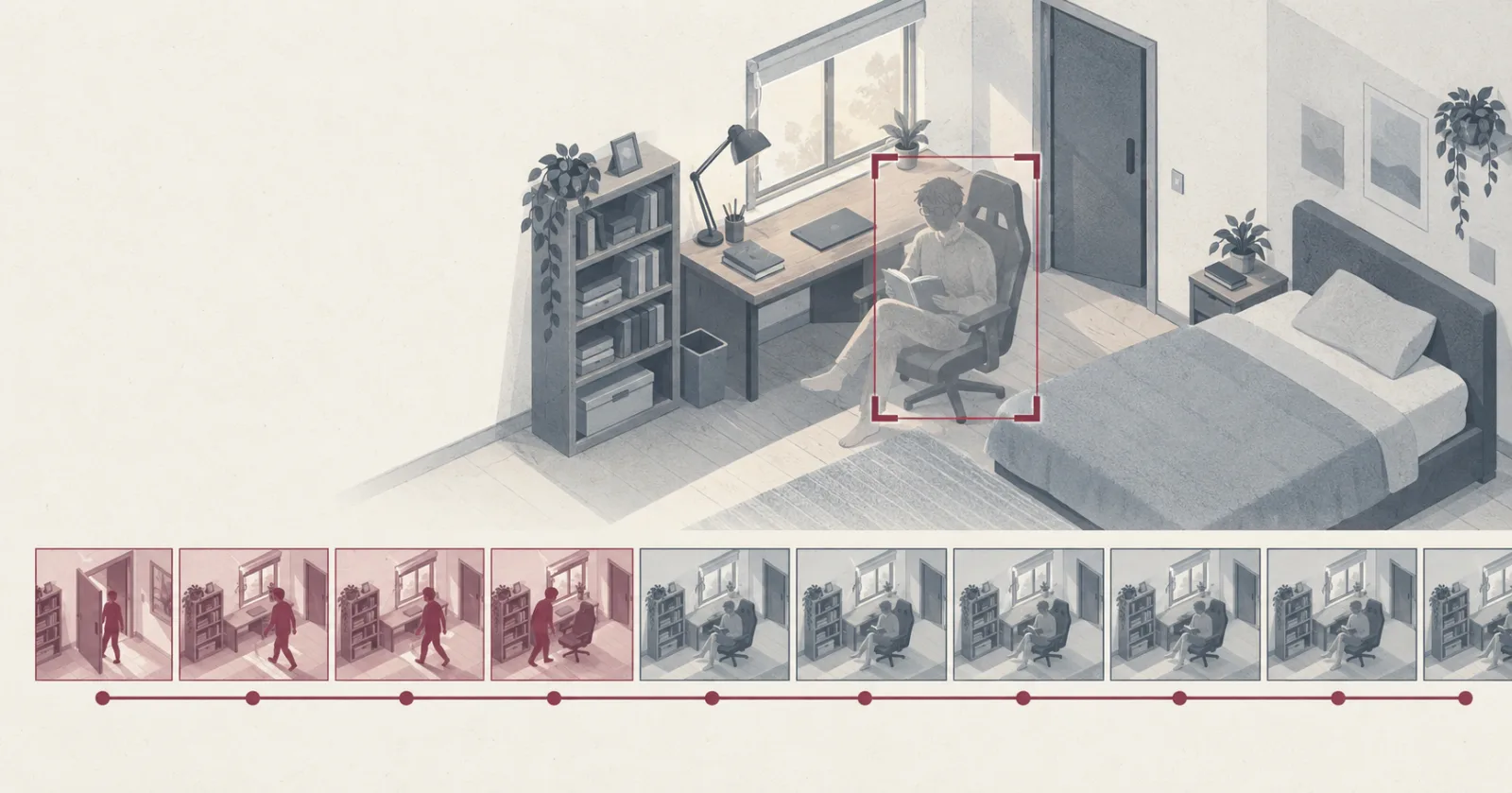
The trouble is that a motion filter only answers one question: did something change? A person sitting still, reading or working or asleep, doesn’t change. So the filter drops them, and a question like “was someone at the desk at 9:30?” has nothing to search.
The fix was to ask a second question alongside the first: is a person here? A small detector that recognises people now looks at one frame every 4 seconds. In my hardest test session, motion alone covered 12% of the time I sat still. With the detector added, it covered all of it.
Why motion filters lose people who sit still
The filter I use is MOG2Mixture of Gaussians, version 2. A background-subtraction method built into OpenCV. It models each pixel as a few bell curves of the values it usually takes, and flags pixels that don’t fit. It keeps learning as it goes, so anything that stays still long enough becomes background., which ships with OpenCV. It keeps a running picture of what the empty room looks like and flags any pixel that doesn’t fit.
It has to keep updating that picture, because rooms change on their own. The sun crawls across the wall, a lamp goes on, the camera flips to night vision. If the filter held on to this morning’s room, it would flag the entire afternoon. So anything that stays put long enough gets folded into the background.
A person reading a book stays put. To the filter I looked the same as the afternoon sun. In one night-vision stretch it scored me close to zero for about 70 seconds while I sat in plain view.
None of that is a bug. The filter does exactly what it’s built to do. It just answers a different question from the one I needed answered.
How much it was losing
I recorded myself in my room following a script: walk in, pick something up, take a phone call, sit still, switch the lights. Then I marked by hand when each step started and ended, so I could check the filter against it.
For anything that moved, it was great. It caught every one of the 39 activities I’d marked, and in the room it kept only 12 to 38% of the footage. For the stretches where I sat still, it covered between 12% and 27% of the time. Each one technically counted as caught, because I shifted now and then and the filter woke up for a moment. The minutes in between were gone.
The tempting fix is a smarter motion filter. I tried the simplest version: take a snapshot of the empty room, and once motion stops, check whether the room still looks different. It found me every time I sat still. It also decided the room was occupied after I’d left, because I’d switched a light or moved a cushion and the room never matched its snapshot again. A pixel diff can tell that something changed but has no idea what, so a cushion and a person look the same to it.
Asking whether someone is there
So I added an object detector, RF-DETR NanoThe smallest size of RF-DETR, Roboflow’s transformer-based object detector. It finds and labels objects in a single image, people included, and is small enough to run on a laptop CPU. The Nano size is licensed Apache-2.0., and run it sparsely. My camera writes a full keyframeA frame stored as a complete picture. Most frames in compressed video only store what changed since an earlier frame, so a keyframe is the only kind you can decode on its own. every 2 seconds, and those are cheap to pull out without decoding everything around them. The detector checks one every 4 seconds for a person. When it finds one, it records a “presence” event next to the motion events, and hits less than 30 seconds apart get joined, so one missed look doesn’t chop an afternoon of reading into pieces.
Then I spent 34 minutes trying to break it. I lay down, sat with my back to the camera, half hid behind furniture, and lay down again in the dark. I also set two traps: a cushion on my (large, gaming) chair, and a video full of people playing on a screen facing the camera.
I ran the same footage through YOLO26nThe nano size of YOLO26, the January 2026 release of Ultralytics’ YOLO object detectors. Fast and very widely used, licensed AGPL-3.0 or under a paid enterprise licence. as well, the detector most people reach for first. It’s almost three times faster, but RF-DETR scores higher on COCOCommon Objects in Context. A public dataset of everyday photos labelled with 80 kinds of object, people included. Object detectors are usually compared by their score on it., the standard benchmark for this. Here’s how often each one was at least 50% sure it saw a person:
| Step | RF-DETR Nano | YOLO26n |
|---|---|---|
| Lying still | 100% | 100% |
| Back to the camera | 65% | 0% |
| Half hidden | 60% | 0% |
| Seated for a long stretch | 100% | 79% |
| Lying still, night vision | 100% | 97% |
| Cushion on the chair (room empty) | 0% | 0% |
| People on a screen (room empty) | 0% | 0% |
Once I turned around, YOLO lost me completely: zero out of 51 looks, and lowering its threshold didn’t bring me back. RF-DETR only managed about 60% on those steps, but its misses were single looks between hits, and the 30-second join covered them. With motion and RF-DETR together, every still stretch was covered from start to finish. And across every test, neither detector saw a person in any of the 272 frames where nobody was there.
Picking the detector mattered too. With YOLO, I’d have closed the gap for people facing the camera and left it wide open for anyone facing away.
What it costs, and what I got wrong
The detector isn’t free. It takes about 55 minutes of CPU per camera per day on my M1, on top of the motion filter’s 28 minutes. The filter also keeps far more footage now: 74% of my daytime session instead of 38%, because I was in the room for most of it. An hour of me reading is now an hour-long event, and the vision model can’t watch all of that. It’ll have to sample long stretches sparsely, which is a problem for the next stage.
The mistake was mine from the start. When I designed the filter, I looked at adding a detector and ruled it out. It meant pulling in PyTorch, it overlapped with what the vision model would do later, and motion alone looked cheap and good enough. It was good enough at the question I’d given it. I hadn’t asked whether that was the question search would need answered, and it took measuring what the filter threw away to see it.
Both checks now run by themselves on the M1 every ten minutes. It’s one room and one person so far, and a pet or a wide view where people look tiny could still break it. Next I’m writing a set of questions with hand-marked answers, which everything after this gets judged against.